- inputThe input mesh to create the gap based on.
C++ Type:MeshGeneratorName
Controllable:No
Description:The input mesh to create the gap based on.
- thicknessThe thickness of the gap to be created.
C++ Type:Real
Unit:(no unit assumed)
Controllable:No
Description:The thickness of the gap to be created.
GapLineMeshGenerator
Generates a polyline mesh that is based on an input 2D-XY mesh. The 2D-XY mesh needs to be a connected mesh with only one outer boundary manifold. The polyline mesh generated along with the boundary of the input mesh form an unmeshed gap with a specified thickness.
Overview
In the mesh generation for reactor geometries, it is often necessary to create unmeshed gaps along the external boundaries of components. The gap is meant to have a uniform thickness all around the boundary. This GapLineMeshGenerator class provides functionality to generate a polyline mesh (similar to the meshes generated by PolyLineMeshGenerator) with a specified gap thickness based on an 2D input mesh residing in the XY plane. If no specific boundary IDs are provided ("boundary_ids"), the mesh generator will extract the external boundary of the input mesh to create the gap. In that case, the input mesh must be a connected mesh with only one outer boundary manifold. Otherwise, only the specified boundary IDs will be used to create the gap. The generated polyline mesh can then be used for further mesh generation processes, such as XYDelaunayGenerator.
Methods
This mesh generator first utilizes the libMesh utility used by XYDelaunayGenerator to extract the external boundary or the specified boundary of the input mesh ("input"). The boundary vertices are then shifted outward along the averaged normal directions of the connected edges to form the designated gap thickness ("thickness"). The shifted vertices are then connected to form a new polyline mesh representing the gap using the meshing utilities of PolyLineMeshGenerator.
The gap can be created either outward or inward with respect to the boundary of the input mesh by specifying the gap direction ("gap_direction"). This direction is defined with regards to the volume enclosed by the boundaries specified (or the entire input mesh if unspecified).
By default, this mesh generator only captures the vertices of the input mesh that are on the polygon boundary and generate only one EDGE2 element for each side of the polygon. In that case, users need to rely on the refinement capabilities in XYDelaunayGenerator to achieve the desired mesh density. Alternatively, users can specify a maximum element size ("max_elem_size") to have this mesh generator automatically insert additional nodes along each side of the polygon.
Examples
A simple example shown here is based on a set of patterned hexagons. As shown in Figure 1, the generated polyline mesh without refinement only contains one EDGE2 element for each side of the hexagons with a gap from the original hexagons' sides.
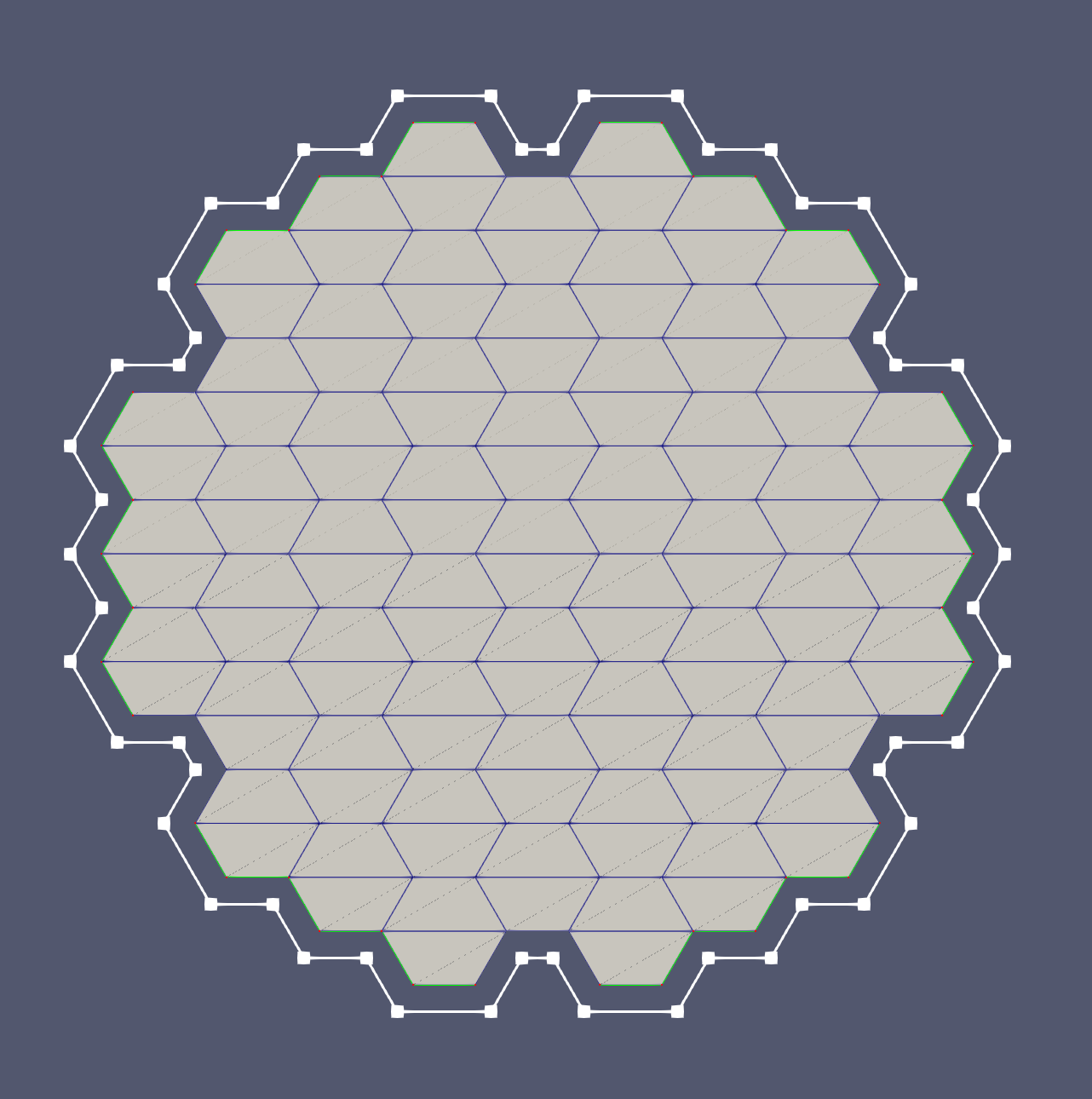
Figure 1: A simple non-refined polyline mesh that is generated around set of patterned hexagons, distanced with a gap in the outward direction.
After specifying a maximum element size, additional nodes are inserted along each side of the hexagons to create smaller EDGE2 elements, as shown in Figure 2. Finally, using the refined polyline mesh as input, a triangular mesh with a circular outer boundary is generated by XYDelaunayGenerator as shown in Figure 3.
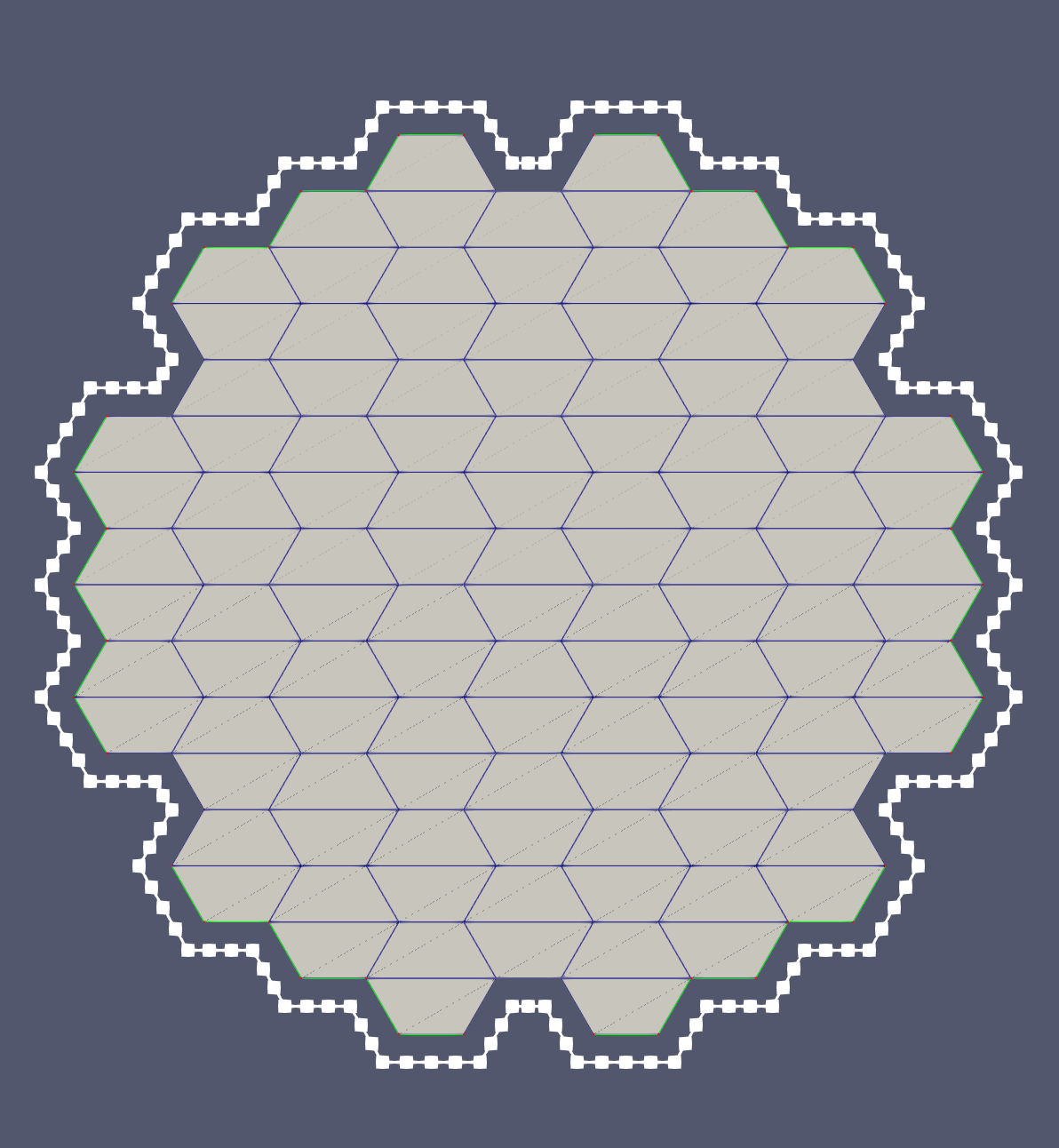
Figure 2: A refined polyline mesh that is generated around a set of patterned hexagons with a gap in the outward direction.
![A triangular mesh that is generated based on the refined polyline mesh ([refined_gap]) and a circular outer boundary.](../../large_media/reactor/meshgenerators/gap_mesh.png)
Figure 3: A triangular mesh that is generated based on the refined polyline mesh (Figure 2) and a circular outer boundary.
Input Parameters
- boundary_idsThe boundary IDs around which the gap will be created.
C++ Type:std::vector<short>
Controllable:No
Description:The boundary IDs around which the gap will be created.
- gap_directionOUTWARDIn which direction the gap is created with respect to the side normal of the elements along the boundary of the input mesh.
Default:OUTWARD
C++ Type:MooseEnum
Controllable:No
Description:In which direction the gap is created with respect to the side normal of the elements along the boundary of the input mesh.
- max_elem_sizeThe maximum element size for the generated gap mesh.
C++ Type:Real
Unit:(no unit assumed)
Controllable:No
Description:The maximum element size for the generated gap mesh.
Optional Parameters
- enableTrueSet the enabled status of the MooseObject.
Default:True
C++ Type:bool
Controllable:No
Description:Set the enabled status of the MooseObject.
- save_with_nameKeep the mesh from this mesh generator in memory with the name specified
C++ Type:std::string
Controllable:No
Description:Keep the mesh from this mesh generator in memory with the name specified
Advanced Parameters
- nemesisFalseWhether or not to output the mesh file in the nemesisformat (only if output = true)
Default:False
C++ Type:bool
Controllable:No
Description:Whether or not to output the mesh file in the nemesisformat (only if output = true)
- outputFalseWhether or not to output the mesh file after generating the mesh
Default:False
C++ Type:bool
Controllable:No
Description:Whether or not to output the mesh file after generating the mesh
- show_infoFalseWhether or not to show mesh info after generating the mesh (bounding box, element types, sidesets, nodesets, subdomains, etc)
Default:False
C++ Type:bool
Controllable:No
Description:Whether or not to show mesh info after generating the mesh (bounding box, element types, sidesets, nodesets, subdomains, etc)